Introduction
Modern websites are no longer limited to traditional navigation menus. Today, users expect clean layouts, minimal clutter, and smooth interactions.
👉 That’s where off-canvas menus come in.
They stay hidden until triggered—then slide into view, creating a sleek and modern experience.
The problem?
Most Elementor users need premium plugins or complex setups to create one. But with Zyre Addons, you can build fully customizable off-canvas menus—for free.
What is an Off-Canvas Menu?
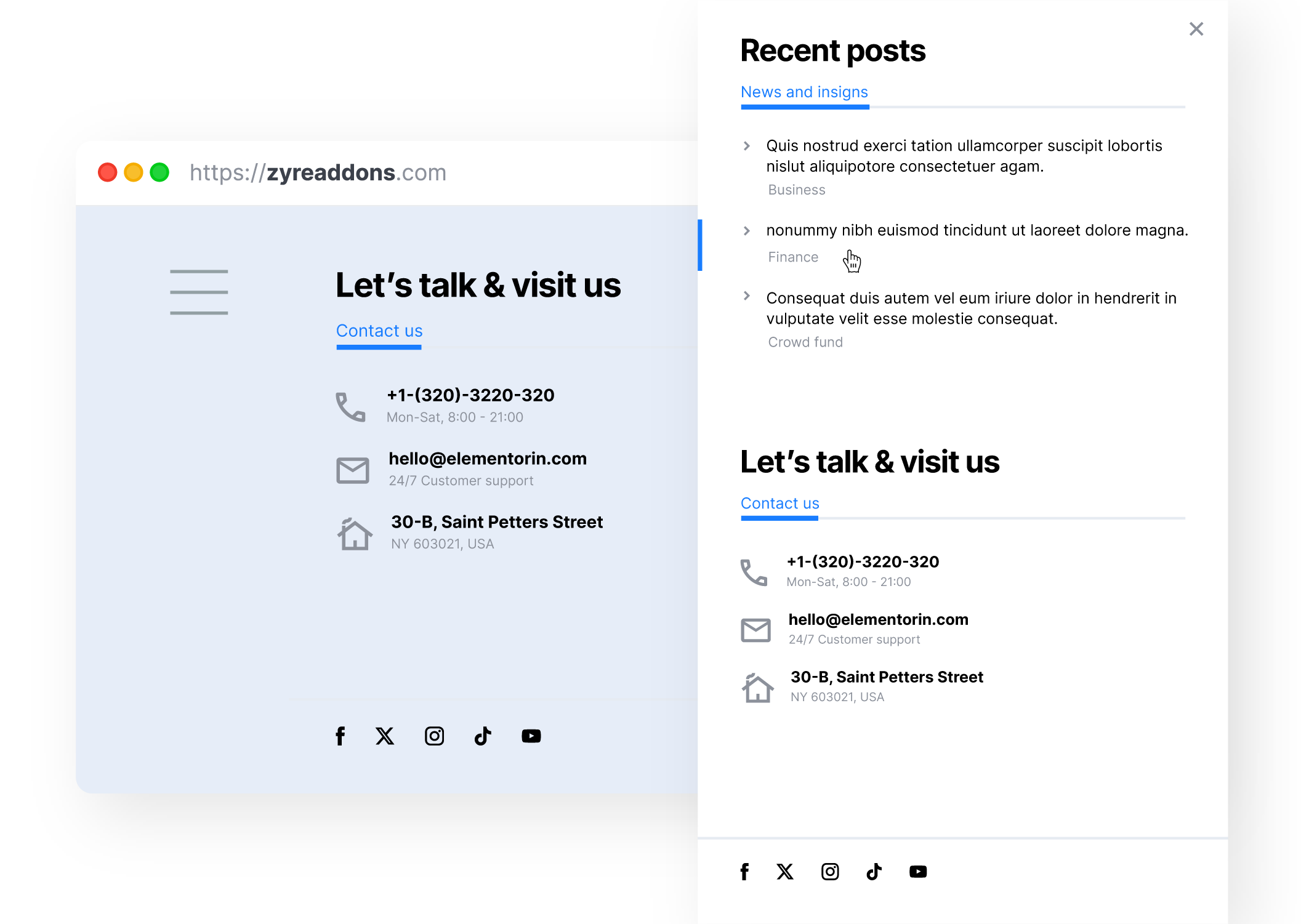
An off-canvas menu is a hidden panel that appears when triggered by a button or icon.
It typically:
- Slides in from the left, right, or top
- Contains navigation links or content
- Keeps the main layout clean
👉 Perfect for modern UI/UX design.
Why Off-Canvas Menus Matter?
Off-canvas menus help you:
- Reduce clutter on the main screen
- Improve mobile navigation
- Create modern user experiences
- Add interactive design elements
👉 Clean design + better usability.
The Problem with Most Elementor Solutions
❌ Premium-Only Features
Most addons lock off-canvas functionality behind paid versions.
❌ Limited Design Options
You often can’t fully customize layout or animation.
❌ Complex Setup
Requires multiple widgets or custom code.
How Zyre Addons Solves This:
Zyre Addons provides an Off-Canvas widget for free, making it easy to create slide-in menus without extra plugins.
👉 Simple setup + full design control.
⚡ Key Features of Zyre Off-Canvas Widget
🧩 1. Easy Trigger Setup
You can open the off-canvas panel using:
- Buttons
- Icons
- Custom triggers
👉 Fully flexible interaction.
🎨 2. Full Elementor Design Control
Design your off-canvas panel using Elementor:
- Add sections and columns
- Insert widgets
- Customize layout
👉 No coding required.
🔄 3. Smooth Slide Animations
Choose how your panel appears:
- Slide from left
- Slide from right
- Overlay effects
👉 Modern and smooth transitions.
🎯 4. Prebuilt Styles + Customization
- Use ready-made styles
- Or design from scratch
👉 Speed + flexibility.
📱 5. Fully Responsive
Works perfectly on:
- Mobile
- Tablet
- Desktop
👉 Ideal for mobile-first design.
🚀 Step-by-Step: Create an Off-Canvas Menu
Step 1: Add Off-Canvas Widget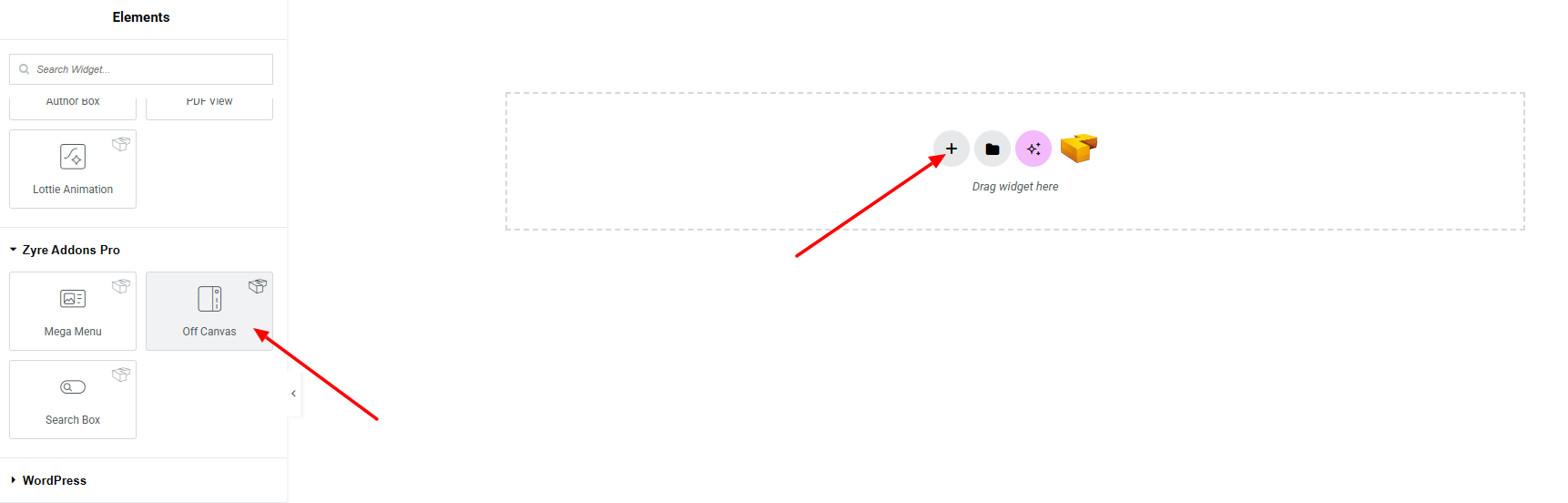
Drag the Off-Canvas widget into your Elementor section.
Step 2: Set Trigger Element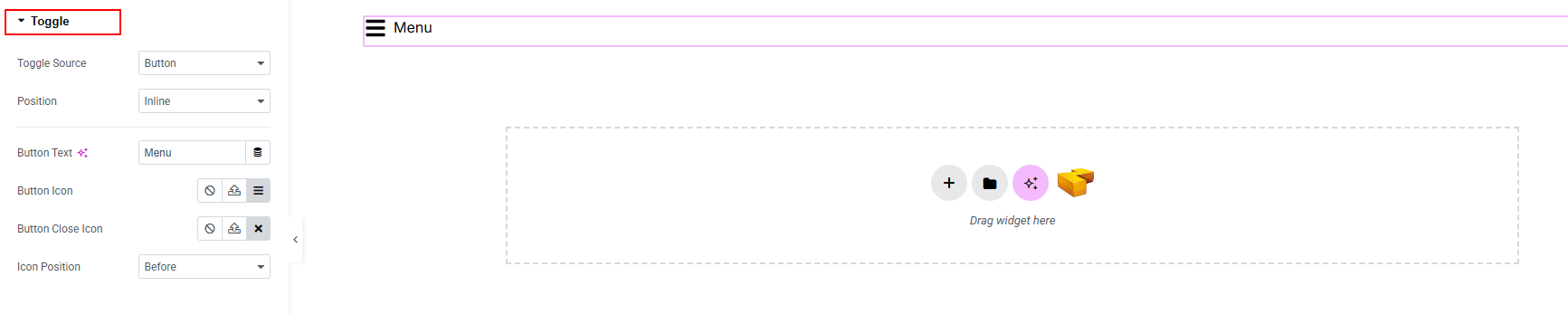
Choose how users will open it:
- Button
- Icon
- Text link
Step 3: Design Panel Content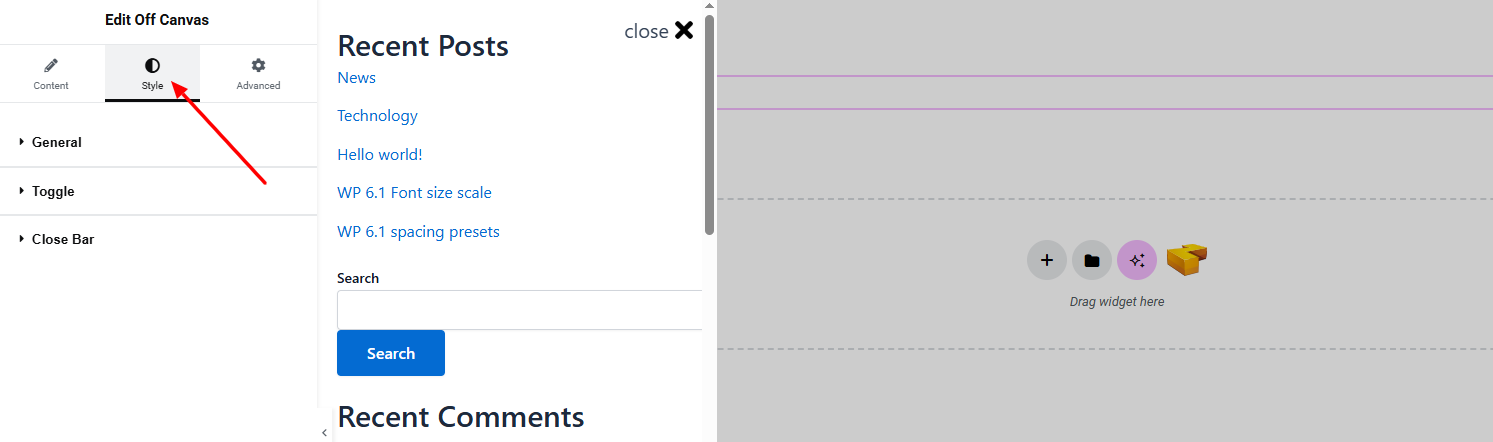
Inside the panel:
- Add menu links
- Insert widgets
- Structure layout
- Slide direction
- Overlay style
Step 4: Customize Close Bar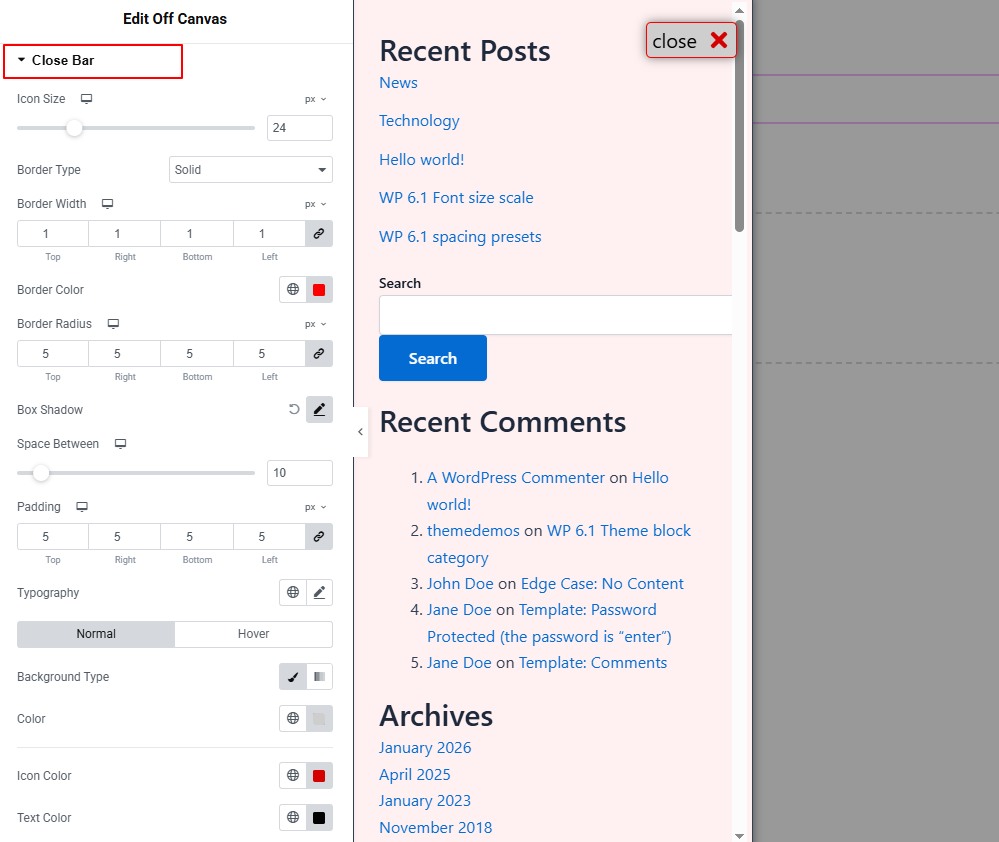
Set:
- Icon style
- Border style
- Background style
Real Use Case Examples
🛍️ eCommerce Sidebar
Show filters, categories, or offers.
🧩 Content Panels
Display extra content without cluttering the page.
Why Zyre Off-Canvas is Different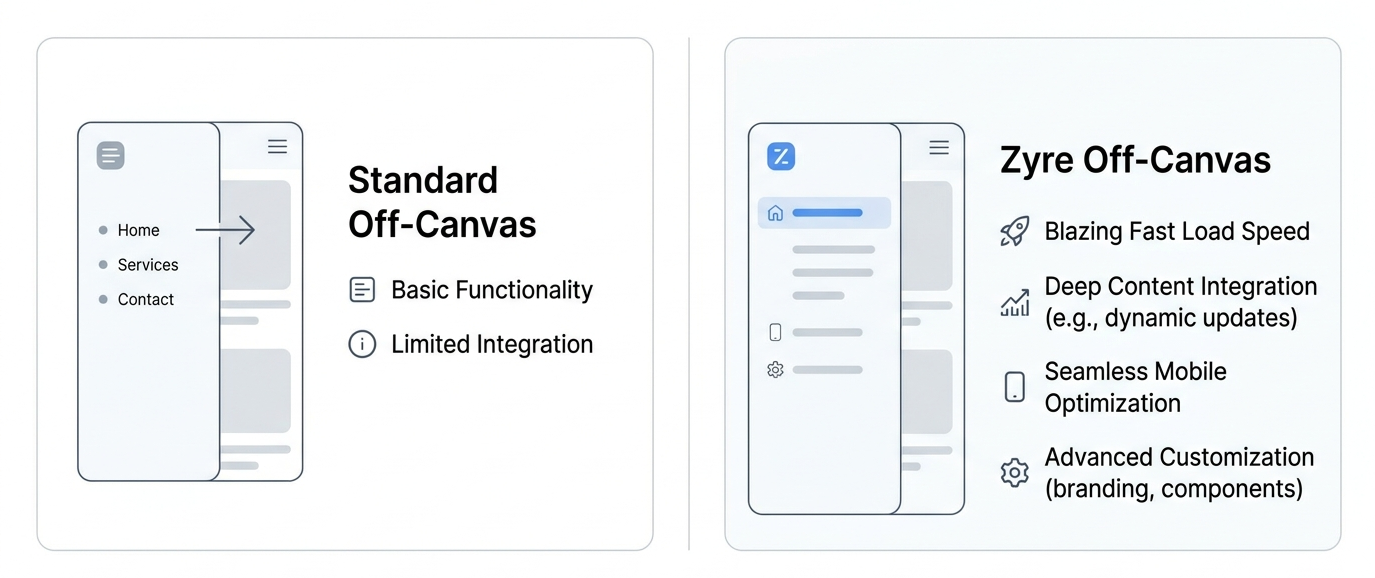
💡 Free Advanced Feature
Most plugins charge for this — Zyre Addons provides it free.
⚙️ No Extra Plugins Needed
Everything is included in one toolkit.
⚡ Lightweight & Fast
Optimized for performance.
🔥 Built for Real Use
Designed for actual projects—not just demos.
Pro Tips for Better Off-Canvas Design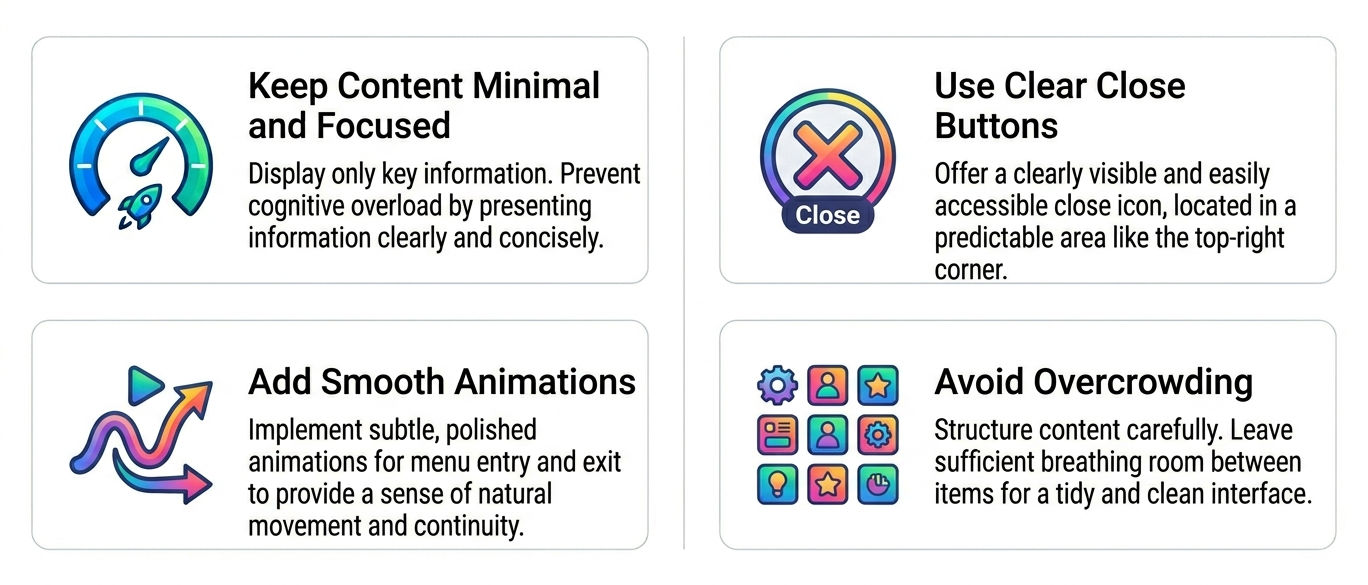
- Keep content minimal and focused
- Use clear close buttons
- Add smooth animations
- Avoid overcrowding
👉 Clean design = better UX.
Final Thoughts
Off-canvas menus are a powerful way to improve modern website design. But most solutions are:
- Expensive
- Complicated
- Limited
Zyre Addons makes it simple, flexible, and free.
👉 You get modern UI without extra cost or complexity.
Download Zyre Addons from WordPress